
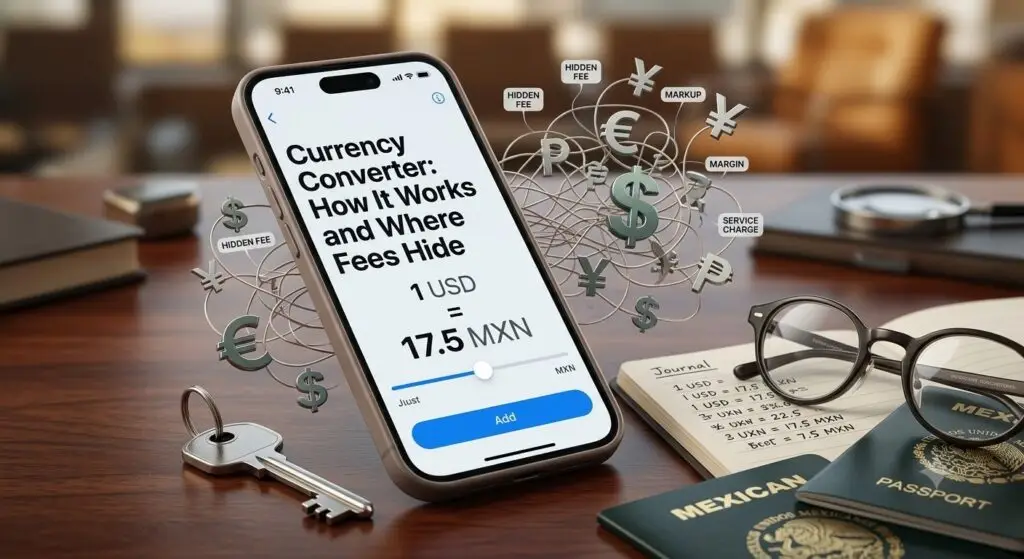
I checked a currency converter before a trip to Mexico last year. It said 1 USD was worth about 17.5 pesos. Then I paid for dinner on my card. The receipt showed a slightly different number. My bank statement showed a third number after that. Same dollar, three different rates, all in the same week.
None of them were wrong, exactly. They were just answering different questions.
A currency converter shows you the mid-market rate — the real, no-markup exchange rate banks use when trading currency with each other. It’s the cleanest reference point for what a currency is “really” worth. But it’s rarely the exact rate you’ll get when you actually spend, send, or exchange money. That gap is where converters get confusing, and where a lot of people quietly overpay.
Where a currency converter’s number actually comes from
Every currency has a buy price and a sell price on the global market at any given moment. One is what a bank will pay for it; the other is what it’ll sell it for. Split the difference between those two, and you get the mid-market rate. Traders also call this the interbank rate, since it’s the rate banks actually use trading with one another not the rate they hand to you or me.
Converters pull this number from live market data and update it continuously. Currency trades happen nearly 24 hours a day during the week, so the rate you see at 9am can shift by the time you check again at noon. That’s normal. It’s also why two converters can show slightly different numbers within the same minute they’re pulling from different data providers, not making things up. Want a government-published reference point instead of a private data feed? The U.S. Treasury publishes its own official exchange rate data, the same figures federal agencies use for reporting.
Why your bank’s rate differs from a currency converter
Here’s the part that trips people up. The mid-market rate is a wholesale rate; individual consumers can’t actually access it. Banks, exchange bureaus, and transfer services all add a spread on top of it, and that spread is how they make money on the conversion.
The size of that markup varies a lot by where you’re converting:
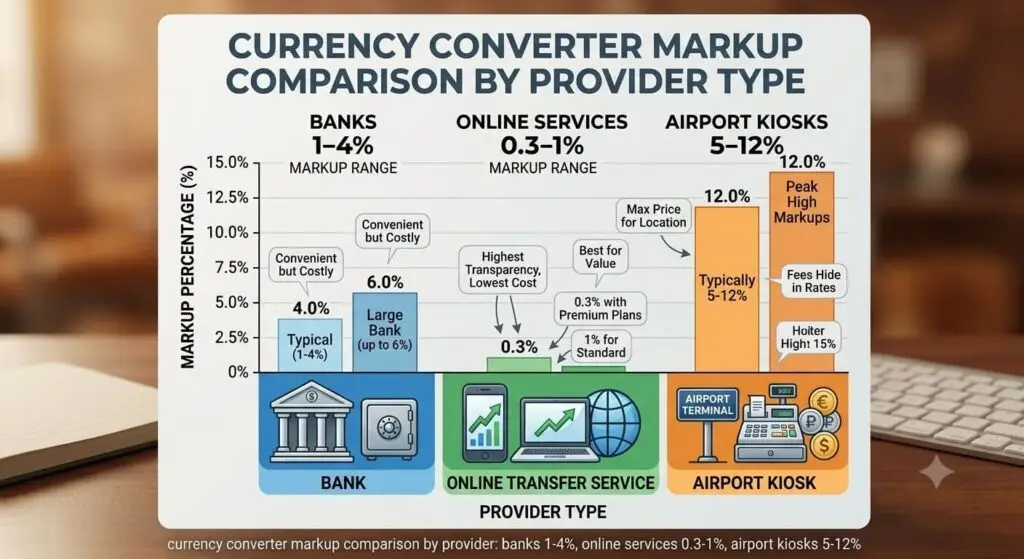
| Provider type | Typical markup over mid-market |
|---|---|
| Traditional banks | 1% – 4% |
| Online money-transfer services | 0.3% – 1% |
| Airport currency kiosks | 5% – 12% |
On a $1,000 conversion, a 3% markup costs you $30 — money you’ll never see broken out on a receipt, because the markup just gets folded into the rate itself. That’s the whole reason to check a currency converter before you exchange money. You won’t get the mid-market rate yourself, but the comparison tells you exactly how much a provider is quietly charging you.
Card purchases work a little differently
If you’re paying by card abroad rather than exchanging cash, there’s an extra layer. Visa and Mastercard each set their own daily “scheme rate” for converting your purchase into dollars. Visa calls its fee the International Service Assessment. Mastercard calls its version the Cross-Border Fee. Either way, that scheme rate usually lands close to the mid-market rate — often within a fraction of a percent.
The bigger cost almost always comes from your card issuer, not the network. Most issuers tack their own foreign transaction fee onto the scheme rate, typically 1% to 3% of the transaction. That fee applies whenever you pay in a foreign currency or your bank routes the charge through a foreign bank — even an online purchase from an international merchant counts, not just travel spending. A growing number of travel cards waive this fee entirely, which is worth checking before a trip rather than after.
Watch out for Dynamic Currency Conversion
At some point a foreign merchant or ATM will offer to charge you in US dollars instead of the local currency. That’s Dynamic Currency Conversion, or DCC, and it feels convenient — you see a familiar number right away. It’s also almost always a worse deal. The merchant picks that conversion rate themselves, and it can run several percentage points higher than what your card network would have given you. Decline it every time and pay in the local currency; your card’s own network rate is nearly always cheaper. The Consumer Financial Protection Bureau has more on how card and prepaid providers disclose (or bury) these conversion fees.
How to actually get closer to the mid-market rate
You won’t get the exact mid-market rate as a retail customer — that’s just not how the pricing works. But you can get meaningfully closer to it:
- Compare the spread, not just the rate. Check the converter’s mid-market number against what a provider is actually offering. The difference is the real cost, even if no one labels it a “fee.”
- Favor online transfer services over banks or kiosks for exchanging cash. They typically charge a smaller markup — often under 1%, versus 1-4% at a bank counter and 5-12% at an airport kiosk.
- Pay in the local currency when given a choice, whether that’s a card terminal or an ATM screen. Saying yes to “pay in dollars” means saying yes to DCC.
- Look for a no-foreign-transaction-fee card before you travel. It won’t touch the network’s scheme rate, but it removes the 1-3% your issuer would otherwise add on top.
None of this gets you to zero cost. Currency conversion always has some cost baked in somewhere. It just keeps that cost closer to the benchmark instead of several percentage points away from it.
The mistake almost everyone makes
Treating the number on a currency converter as “the rate I’ll get.” It’s a benchmark, not a quote. The real gap between that benchmark and your final cost comes down to who’s doing the converting. Your bank, a transfer app, an airport kiosk, and a card network each price it differently. I ran a $1,000 conversion through FinToku’s own tool before writing this, mainly to sanity-check the numbers above against a live rate. It’s a habit worth building before any transfer, purchase, or trip: check the benchmark first, then compare it against whatever rate you’re actually being offered.
Key Takeaways
- A currency converter shows the mid-market rate — the real interbank benchmark — not necessarily the rate you’ll actually pay or receive.
- Banks and exchange services add a spread on top of mid-market, from under 1% at online transfer services up to 5-12% at airport kiosks.
- Visa and Mastercard price close to mid-market. Your card issuer’s foreign transaction fee, typically 1-3%, is usually the bigger cost.
- Dynamic Currency Conversion — choosing to pay in USD abroad — almost always costs more than paying in the local currency.
- Checking a converter before you exchange, transfer, or travel shows you the markup. It’s a comparison tool, not a guarantee of your final rate.
Frequently Asked Questions
How do I convert currency?
Enter an amount and pick your two currencies into a converter to see the current mid-market rate — that’s your benchmark. Your actual conversion, through a bank, transfer app, or card, will apply that provider’s own rate. That rate almost always includes a markup on top.
Why do exchange rates differ between banks and apps?
Every provider adds its own spread on top of the mid-market rate to cover costs and profit. That spread varies by provider, which is why the same $1,000 converts to different amounts depending on where you do it.
What is the mid-market rate?
It’s the midpoint between the price banks will pay for a currency and the price they’ll sell it for. Think of it as the “real” exchange rate, before anyone adds a markup for a retail customer.
Should I use a credit card or cash when traveling abroad?
A card with no foreign transaction fee, used in the local currency and never DCC, is usually the cheapest way to pay abroad. Carry some local cash for small vendors, but rely on the card for most spending.
What is Dynamic Currency Conversion and should I accept it?
It’s the choice to pay in your home currency instead of the local one, offered by a merchant or ATM abroad. The merchant sets that conversion rate, not your card network, and it’s typically higher than what you’d get paying in local currency. Decline it and let your card handle the conversion instead.
If you’re deciding between a card, cash, or a transfer app for an upcoming trip or payment, run your numbers through FinToku’s tool first. This same currency converter takes thirty seconds and shows you exactly what benchmark you’re working from.
By Saad Faisal · Published July 9, 2026 · Updated July 9, 2026
Disclaimer
This article is for general informational purposes only and isn’t financial or tax advice. The markup percentages and fee ranges above come from typical figures in public sources, not guarantees — your actual rate depends on your specific bank, card issuer, and provider. Check your card’s cardholder agreement and current rates before making a real transaction. Read FinToku’s full Financial Disclaimer for more.